

They Trust us






Discover Readiris PDF Features
Discover the power of Readiris PDF Essential & Elite!
Scan & Convert

Transform your document workflow with Readiris PDF Essential & Elite. Convert to and from PDFs with pixel-perfect fidelity.
-
NEW IN V27 True Driverless Scanning: Connect instantly to any Canon scanner or network MFP—no driver setup or IT hassles.
-
Total Format Freedom: Convert PDFs into editable Word, Excel, PowerPoint, or searchable text images.
-
Lightning-Fast Batch Processing: Convert massive document volumes in seconds to streamline repetitive tasks.
Edit & Annotate
Unlock total editing flexibility with Readiris PDF Essential & Elite to modify and format your files effortlessly.
-
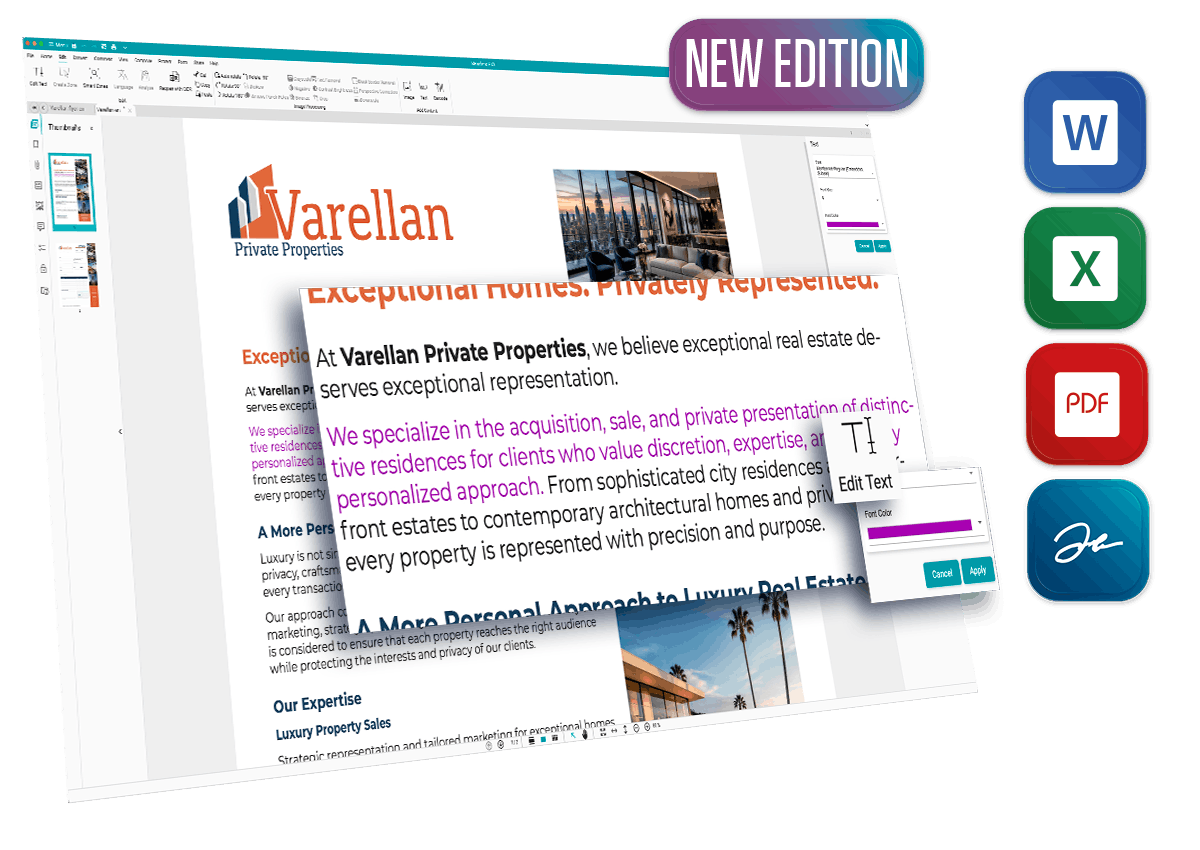

Total Text Control: Add, delete, or refine text and high-res images directly inside your PDF.
-

Document Building: Merge, split, rotate, and reorder pages to create custom documents on the fly.
-
Collaborate Better: Annotate, highlight, and review documents seamlessly with advanced markup tools.
Powerful AI OCR
Turn scanned paperwork into searchable, dynamic data with industry-leading optical recognition precision.
-
Instant Digitization: Extract editable text cleanly from scans and flat image files.
-
UPDATED Upgraded Engine: Next-gen layout retention preserves complex tables, formatting, and fonts.
-
138+ Languages: Flawless multi-language character detection for global business communication.

Create & Organize
Eliminate document clutter. Build fresh PDFs from any source and let automated indexing handle sorting and indexing.
-
Build & Combine: Generate PDFs from Office files, images, or direct scans, and combine them with one click.
-
NEW IN V27 Smart Auto-Naming: Automatically label files based on OCR zones, barcode data, or dynamic dates (Elite).
-
NEW IN V27 Smart Separation: Split multi-page batches automatically using blank separator sheets or barcodes (Elite).
-
Shrink & Share: High-ratio compression preserves quality while saving cloud storage space.
Protect & eSign

Keep confidential data compliant and secure with enterprise-grade encryption, redaction, and electronic signatures.
-
Robust Access Control: Password-protect files to restrict unauthorized viewing, copying, or printing.
-
Permanent Redaction: Irreversibly sanitize sensitive customer, personal, or financial records.
-
NEW IN V27 Multi-Signature Support: Streamline contract approvals by placing multiple valid e-signatures per document (Elite).
Forms & Classification

Automate form handling, reduce human data-entry mistakes, and turn static forms into interactive digital assets.
-
NEW IN V27 Interactive Form Builder: Add text fields, checkboxes, and dropdowns to create fillable forms (Elite).
-
Instant Data Extraction: Export completed form values straight to Microsoft Excel for instant analysis.
-
Automated Routing: Automatically index and organize forms based on barcode headers.
Discover Readiris PDF in Videos
Watch the videos below to see all the features. More on YouTube
Readiris PDF Essential & Elite for All Industries
Simple and powerful, the perfect tool for all
Readiris Elite for Business Owner
Discover Readiris PDF, your ultimate PDF management solution tailored for small and medium businesses. Effortlessly handle and transform files from various formats into professional PDF documents. Create, edit, annotate, organize, enhance, compress, e-sign, and securely share your customized single or multiple PDF files with ease
The Readiris PDF document manager is a best-of-bred software solution that gives users access to a suite of management features such as:
- PDF conversion tools (convert PDF to word, Word to PDF, JPG to PDF)
- Text editor and other markup tools
- Powerful scanning and OCR capture
- PDF merging, combination, and splitting

Readiris PDF for the Legal Industry
In the legal industry, precision and accuracy are non-negotiable. Professionals need reliable tools to edit, amend, and share documents quickly and securely. The Readiris PDF software suite provides the flexibility and features legal teams need to handle critical documentation with confidence.
The Readiris PDFsoftware platform is a best-of-breed software solution that includes a wide array of PDF editing features, including :
- PDF conversion tools (PDF to Word, JPEG to PDF, Word to PDF)
- PDF merging, combination, and splittingg
- Signature overlays and e-signature capabilities
- Text editor and other markup tools

Readiris PDF Essential & Elite for Students
Inspiring future global citizens requires the right tools, including effective use of technology in education. Combining tech with diverse life experiences enriches student learning. The PDF format supports both goals by enhancing accessibility and engagement in academic settings.
The Readiris PDF document manager is a best-of-bred software solution that gives users access to a suite of management features such as:
- Powerful PDF Conversion tools
- PDF merging, combination, and splitting features
- Robust scanning and OCR capabilities
- PDF text editor, stamps, and other markup tools

Readiris PDF in the Health Sector
Businesses succeed when both employees and consumers are healthy, supported by advancements in modern, patient-focused medicine. IRIS contributes to this by enhancing healthcare efficiency through technology. Readiris PDF software empowers medical professionals with superior control over digital documentation.
The Readiris PDF software is a best-of-breed software solution that allows users to access a full line of features including:
- PDF conversion tools (PDF to Word, JPEG to PDF, Word to PDF)
- PDF merging, combination, and splitting functionality
- PDF text editor, stamp overlays, and additional markup tools
- PDF redact for hiding confidential patient private record





OCR Languages
+k
IRIS OCR Users
%
Customers Satisfaction
What is new in Readiris PDF 27?
Readiris PDF offers the following features when compared with the previous versions
Features Comparison
Readiris PDF 25
& Older
Readiris PDF 27
Essential
Readiris PDF 27
Elite
Reviews
Discover what people say about Readiris PDF
Excellent PDF Editor for Windows & macOS. Everything I’ve done always gives me results I want, easily. I just love using it to automate my tasks. Just Works, Everything! No doubt in my mind that I will get great results. No more, no less. Just keep it coming.

American Customer
Exceptional PDF interface. The Readiris PDF is exceptional in terms of structuring and usability. Files are processed effectively and are visually engaging, with functions for conversion, etc., that are excellent in both form and usability. Readiris PDF's interface presentation is visually appealing.
French Customer
A comprehensive PDF reader & editor. I use the OCR tool of Readiris PDF because it is the best and the cheapest of all existed tools. Readiris PDF is a good software for editing and creating PDF files as it has many helpful features that save your time and effort. I like the OCR tool because it supports many languages.
German Customer
Good software. Good, solid software for processing scanned documents and PDFs. OCR is much more powerful than Adobe. Very comprehensive, powerful OCR and practical PDF functions. Used to compose documents with various files, it works very well. The conversion to editable Word has also served me well.
French Customer
Readiris PDF is a good software for editing and managing PDF files but not the best. Readiris PDF has some good functions and features, like OCR which supports many languages more than any other OCR tool. but the good thing is that Readiris PDF is cheaper than other tools.
Indian Customer
A Powerful Tool. As a big user of the more industry standard PDF software, this Readiris package is a welcome change. Although it's on the expensive side, Readiris PDF is a single cost that ends up being cheaper than a subscription for the other. And with this premium version, you're getting document signing, OCR, etc.
Italian Customer
Pricing
Compare Readiris PDF below to discover all features!
Core Features:
-
NEW True Driverless Scanning: Connect instantly to any scanner or all-in-one device.Auto-detects network scanners (eSCL) for zero-setup wireless scanning. Fully supports USB and all-in-one devices via WIA & TWAIN.
- IMPROVED Lightning-Fast OCR: Scan and OCR in 138 languages.
- Total PDF Control: Edit, merge, convert, and manage PDFs.
- Universal Export: Export to/from Office formats (Word, Excel, etc.).
- Basic PDF Forms: PDF form filling support.
- Markups & Reviews: Annotate, comment, and insert/extract pages.
- Search & Print: Search/replace in PDFs, save, and print.
- ELITE NEW Advanced PDF Forms: Build interactive PDFs from scratch.
- NEW Direct Content & Barcodes: Enrich any document with text, images, and barcodes.
- IMPROVED Pro Image Enhancement: Clean up scans with deskew, hole removal, and perspective correction.
- IMPROVED Smart Document Automation: Batch conversion, intelligent page splitting, & automated naming.
- NEW Advanced Security: Digital protection, multi e-Signatures, and redaction support.
- IMPROVED PDF Compression & Archiving: Reduce file size and save as PDF/A for long-term storage.
- Cloud Integration: Share to Google Drive, Dropbox, Box, OneDrive, and SharePoint.
Core Features:
-
NEW True Driverless Scanning: Connect instantly to any scanner or all-in-one device.Auto-detects network scanners (eSCL) for zero-setup wireless scanning. Fully supports USB and all-in-one devices via WIA & TWAIN.
- IMPROVED Lightning-Fast OCR: Scan and OCR in 138 languages.
- Total PDF Control: Edit, merge, convert, and manage PDFs.
- Universal Export: Export to/from Office formats (Word, Excel, etc.).
- Basic PDF Forms: PDF form filling support.
- Markups & Reviews: Annotate, comment, and insert/extract pages.
- Search & Print: Search/replace in PDFs, save, and print.
- ELITE NEW Advanced PDF Forms: Build interactive PDFs from scratch.
- NEW Direct Content & Barcodes: Enrich any document with text, images, and barcodes.
- IMPROVED Pro Image Enhancement: Clean up scans with deskew, hole removal, and perspective correction.
- IMPROVED Smart Document Automation: Batch conversion, intelligent page splitting, & automated naming.
- NEW Advanced Security: Digital protection, multi e-Signatures, and redaction support.
- IMPROVED PDF Compression & Archiving: Reduce file size and save as PDF/A for long-term storage.
- Cloud Integration: Share to Google Drive, Dropbox, Box, OneDrive, and SharePoint.
Frequently Asked Questions
You have questions? We have answers!
Have a question? Check out the FAQ
What payment methods can I use to buy the software?
You can use most online payment methods available on the market: Visa, MasterCard, PayPal, American Express, Maestro, etc. Payment by bank transfer is also available in certain countries. Payment methods differ according to your location
Is it a lifetime license or a subscription model?
The licenses are perpetual (lifetime) limited for 1 computer at a time per license. The onetime payment allows you to benefit from free updates. Major upgrades are not free unless you select the "Software upgrade insurance" option during the purchase process.
Can you transfer the License to a new PC (Windows or Mac)?
You can easily activate and deactivate a license on a computer via the software interface. First you need to deactivate the license on the old computer via ‘Activation’ section in the software interface, then activate on the new computer.
Does Readiris PDF work on Windows and macOS?
Yes, Readiris PDF is compatible with Windows (10 & 11) and macOS 14 & above.
What is the minimum system configuration requirements do I need?
Windows & macOS
- Processor: 1.5GHz processor or higher
- Memory: 8 GB RAM or higher
- Available Hard Drive Space: 2 GB or higher
- Operating System: Windows 10-11 64-bit / macOS 14 and above
- Internet Connection
Can I use the Readiris PDF upgrade on several computers at a time?
Readiris PDF can only be used on one computer at a time, meaning it is restricted to a single installation per license. Volume licenses are available if you need more than 10 users. Feel free to reach out if you need volume licenses.
What are the OCR languages supported by Readiris?
Afaan Oromo, Afrikaans, Albanian, Arabic, Asturian, Aymara, Azeri (Latin), Balinese, Basque, Bemba, Bikol, Bislama, Bosnian (Cyrillic), Bosnian (Latin), Brazilian, Breton, Bulgarian, Bulgarian-English, Byelorussian, Byelorussian-English, Catalan, Cebuano, Chamorro, Chinese (Simplified), Chinese (Traditional), Corsican, Croatian, Czech, Danish, Dutch, English (UK), English (USA), Esperanto, Estonian, Faroese, Farsi, Fijian, Finnish, French, Frisian, Friulian, Galician, Ganda, German, German (Switzerland), Greek, Greek-English, Greenlandic, Haitian Creole, Hani, Hebrew, Hiligaynon, Hungarian, Icelandic, Ido, Ilocano, Indonesian, Interlingua, Irish (Gaelic), Italian, Japanese, Javanese, Kapampangan, Kazakh, Kikongo, Kinyarwanda, Korean, Kurdish, Latin, Latvian, Lithuanian, Luba, Luxembourgish, Macedonian, Macedonian-English, Madurese, Malagasy, Malay, Manx (Gaelic), Maori, Mayan, Mexican, Minangkabau, Moldovan, Mongolian (Cyrillic), Nahuatl, Norwegian, Numeric, Nyanja, Nynorsk, Occitan, Papiamento, Pidgin English (Nigeria), Polish, Portuguese, Quechua, Rhaeto-Romance, Romanian, Rundi, Russian, Russian-English, Samoan, Sardinian, Scottish (Gaelic), Serbian, Serbian (Latin), Serbian-English, Shona, Slovak, Slovenian, Somali, Sotho, Spanish, Sundanese, Swahili, Swedish, Tagalog, Tahitian, Tatar (Latin), Tetum, Tok Pisin, Tonga, Tswana, Turkish, Turkmen (Latin), Ukrainian, Ukrainian-English, Uzbek, Waray, Welsh, Wolof, Xhosa, Zapotec, Zulu.