|
|

IRIScan Book 3Acquisisci libri senza computer!
|
 |
|
|
 |
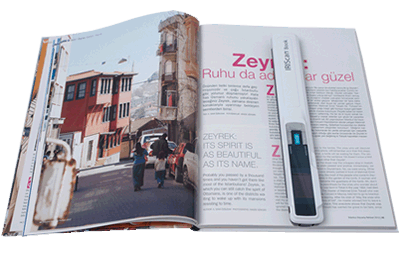
Acquisisci libri, quotidiani, riviste, lettere,… senza strappare le pagine!
Fai scorrere lo scanner sul documento che desideri acquisire e ottieni immediatamente un'immagine ad alta risoluzione (fino a 900 dpi). Grazie al sensore ottico di alta qualità e alle rotelle che si trovano sotto lo scanner, l'acquisizione non è mai stata così veloce (3 secondi per pagina), indipendentemente dalla superficie di acquisizione (libri, riviste o quotidiani). IRIScan Book 3 è la soluzione ideale per acquisire in modo veloce tutti i documenti ottenendo risultati di alta qualità.
|
Usalo ovunque, senza computer!
IRIScan Book 3 è uno scanner estremamente compatto che trova facilmente posto nella borsa del laptop o in un cassetto. Le 3 batterie AAA e la scheda di memoria consentono di acquisire tutti i documenti senza essere collegato al computer. A casa, in ufficio, a un appuntamento con un cliente, sul divano: porta IRIScan Book 3 sempre con te!
|
 |
 |
Converti i tuoi documenti in file editabili (Word, Excel, ...)
IRIScan Book 3 dispone di un'applicazione OCR (Readiris) dotata di tutte le funzioni che consente di convertire porzioni di testo dei documenti acquisiti in documenti Word, Excel o PDF completamente modificabili. I tuoi file verranno convertiti e saranno pronti per la modifica, l'archiviazione.
|
Crea file PDF ricercabili
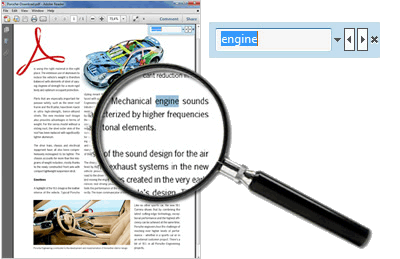
Il software Readiris incluso consente di convertire i documenti acquisiti in file PDF completamente ricercabili grazie al potente motore OCR che trasforma il testo all'interno di un'immagine in testo ricercabile. Basta effettuare una ricerca veloce per trovare le informazioni contenute in un documento, senza bisogno di dedicare molto tempo alla lettura dell'intero testo!
|
 |
 |
Display LCD a colori per l'anteprima
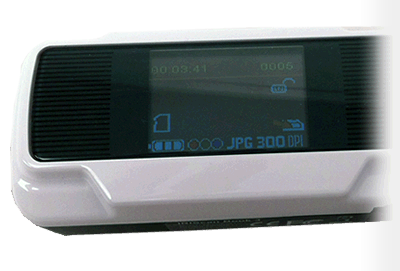
L'ampio display LCD a colori sulla parte superiore dello scanner consente di visualizzare in modo semplice un'anteprima dei documenti scansionati. Permette inoltre di modificare le impostazioni di scansione e controllare lo stato della batteria e la memoria disponibile
|
Acquisisci e crea direttamente file PDF o JPEG
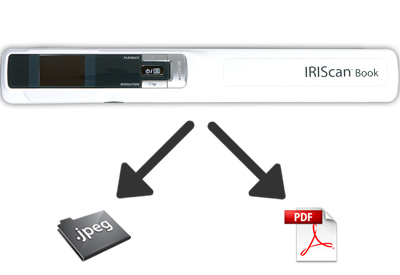
Il nuovo IRIScan Book 3 include un pulsante che consente di scegliere file PDF o file immagine (JPEG) come formato di acquisizione. Inoltre, puoi scegliere la risoluzione (300, 600 o 900 dpi) e la qualità (a colori o in bianco e nero) e puoi modificare le impostazioni direttamente dallo scanner, senza bisogno di collegarlo al computer
|
 |
Acquista IRIScan Book 3Ideale per l'acquisizione di libri, riviste e quotidiani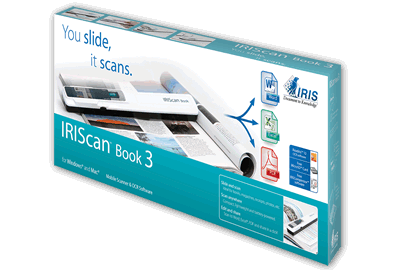 |
|
© 2023 I.R.I.S. S.A Tutti i diritti riservati.