I.R.I.S. websites
I.R.I.S. Corporate website
I.R.I.S. ECM
I.R.I.S. ICT
Belgium - English
United States - English
Canada - English
Canada - French
Asia Pacific - English
Belgium - Dutch
Belgium - English
Belgium - French
Brazil- English
Brazil- Portuguese
France
Germany
Italy
Japanese
Korean
Netherlands
Spain
United Kingdom
简体中文
繁體中文
Products
OCR Software
OCR for iPad®
PDF Compressor
Document Server Software
High Speed Scanning Software
Pen Scanners
Digital Pen
Card Scanners
Mobile Scanners
Photo Scanner
Invoice & Form Solutions
Sorting & Indexing Solutions
Toolkits / O.E.M.
Download
Product demo version
Product brochures
Partners
Partner/reseller locator
Become Reseller/Distributor
Value Added Reseller
OEM Licensing
Company
Mission & Organization
Investors
Events
Awards
Press
I.R.I.S. 20 years fact book
Contacts
IRISLink 2012
IRIS-TV
Support
Technical Support
Customer service
Careers
Shop
OCR software
OCR for iPad®
PDF Compressor
Document Server Software
High Speed Scanning Software
Pen Scanners
Digital Pen
Mobile Scanners
Card Scanners
Photo Scanner
Invoice Solutions
License Pack
Products
>
Card Scanners
>
IRISCard™ Anywhere 4
Card Scanners
Card Scanning Software
IRISCard™ Anywhere 4
Card Scanning solutions for Microsoft Dynamics CRM
>
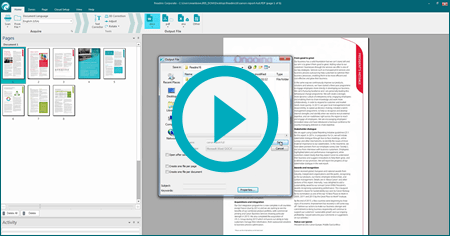
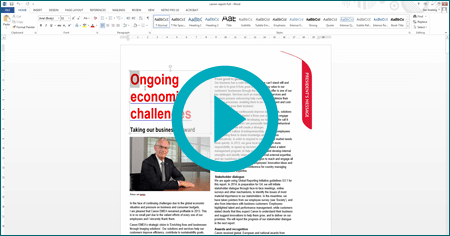
Watch the demonstration
Scan Business Cards
Without Computer!
Scan without being connected to your computer!
Charge the scanner. Unplug it. Scan everywhere without computer.
Built-in Flash Memory, Expandable memory capacity
Built-In Memory 512MB , Memory Card Slot Free 1gb SDCard included
Scan all your business cards, images,..
Instantly transfers the business card information to Outlook, Address Book, Outlook Express, Entourage, Lotus Notes, Act!, Goldmine, CSV, vCard, Excel and more!
218 countries recognized
No matter where your contact comes from, IRISCard™ Anywhere 4 will read his business card.
> Gallery:
How does it work?
Scan your Business cards, images, wherever you are. No computer needed!
The scanned documents are stored into the SD card, USB flash drive or internal memory.
Use your documents, business cards, photos in Word, PDF, Excel®, Outlook®, Address Book, ACDSee™, etc.
Scanner specifications
Battery Powered!
Memory Card 1gb SDCard included
Scanner specifications:
Document feeding
: Sheet feed type (single)
Resolution (default)
: 300dpi
Document Size (Max)
: Up to A6/4’’ x 6’’
Interfaces
: SD, xD, MS, MS Pro, MMC, USB Slave (type-B Mini), USB Host (Type-A) For USB Flash Drive
Output File format
: JPEG
Flash Memory
: 512MB Flash Memory
Battery
: 700 mAh Lithium ion polymer rechargeable battery through USB cable
Fully charged~ Ultra Battery Low (RED LED blinking & power off anytime)
> 150 +/- 20 pages @ 4x6 * based on defined test conditions
Charging Method
: USB Cable
Features
IRISCard™
Anywhere 4
IRISCard™
Anywhere 4
Corporate
IRISCard™
Anywhere 4
for MS Dynamics
Hardware:
Incredibly fast scanning speed
The IRISCard Pro zips through more than 600 cards per hour, making it the fastest 300 dpi
color
portable business card scanner.
Scan without being connected to your computer!
Charge the scanner. Unplug it. Scan everywhere without computer.
Built-in Flash Memory, Expandable memory capacity
Built-In Memory 512MB , Memory Card Slot Free 1gb SDCard included.
Color scanner, super compact, super portable
Light, compact the IRISCard is the smallest USB 2, A6,
color scanner
in its category
Software:
Automatic data recognition
The IRISCard quickly scans your paper business cards, captures the information they contain and instantaneously creates electronic contacts to be sent to your favorite contact manager
Advanced export functions
Send your contacts to the most popular contacts managers:
- Windows:
MS Outlook, MS Outlook Express, Palm Desktop, Text (*.csv), Cardiris 4.x , vCard (*.vcf), Email, ACT, FrontRange Goldmine, Iamge, HTML, IBM Lotus Notes, Innomatics Info Contacts & Info Business, !ntellect, Time and Chaos, Novell GroupWise and MS Excel.
- MAC:
Address Book, Entourage, HTML, vCard, AppleWorks 6, Now Contact 5 & Now Contact X
218 countries*
Capture all the information from business cards coming from all over the world. Wherever you go, you are covered!
Duplicates management
Powerful field comparison lets you determine which info/contact you want to keep, update or discard.
Rear side support
Consecutively scans the front and back sides of your business card, as well as your contact photos. The IRISCard gathers all this information under the same contact name.
Easy export to Excel
Use your contacts in Excel to organize mail merges, search and sort your contacts, etc.
Multiple cards scanning
Scan and automatically recognize up to 10 business cards with your existing flatbed scanner.
Skype support
Launch Skype calls in one single click, directly from the IRISCard.
Basic export functions
Send your contacts to Outlook, Outlook Express, Excel, palm OS, Pocket PC, vCard and comma delimited Text
Corporate features:
5 users licences
1 scanner, 5 licences expandable. Create and access your own or team databases locally or on your network.
-
XML support
Generation of XML files from your recognized business cards for easy export to your CRM.
Synchronisation with Microsoft Dynamics CRM
The IRISCard™ quickly scans your paper business cards, captures the information they contain to create electronic contacts and synchronizes with MS Dynamics CRM.
-
-
Business Cards Software
Cardiris Pro 5**
Scan your business cards and use the brand-new Cardiris™ to manage your contacts or send them to your favorite contact manager: Outlook®, ACT!®, Lotus Notes®, Address Book, etc.
Learn more
System requirements
Hardware Minimum system requirements
- A free USB port
-Installable on any operating system that supports mass storage protocol (Windows®, Mac®, Linux®, Unix®, etc.).
-Works without installing any driver.
Minimum system requirements for Windows®:
- A USB Host port (USB 1.1 or 2.0)
- USB mass storage protocol must be supported by your OS
- An Intel® Pentium® based PC or equivalent is recommended.
- 512 MB RAM is recommended to process grayscale and color images
- 300 MB free disk space
- A DVD ROM drive and a free USB port
- Internet Explorer 5.01 or higher
- Windows 7, Vista® or XP
Minimum system requirements for Mac OS®:
- A USB Host port (USB 1.1 or 2.0)
- USB mass storage protocol must be supported by your OS.
- A Mac® computer with a G3 processor.
- 160 MB free disk space.
- A DVD-ROM drive and a free USB port.
- MAC OS® X version 10.4 or superior
* Afghanistan (English), Albania, Algeria (English-French), American Samoa, Andorra, Angola, Anguilla, Antigua-Barbuda, Argentina, Armenia, Aruba, Australia, Austria, Azerbaydzhan, Bahamas, Bahrain (English), Bangladesh, Barbados, Belgium, Belize, Benin, Bermuda, Bhutan, Bolivia, Bosnia-Hercegovina, Botswana, Brazil, Brunei, Bulgaria, Burkina Faso, Burundi, Byelorussia, Cambodia, Cameroon, Canada, Cape Verde, Central African Republic, Chad (English), Chile, China (English), China [People's Republic], Colombia, Comores (English), Congo [Democratic Republic], Congo-Brazzaville, Costa Rica, Croatia, Cuba, Cyprus, Czech Republic, Denmark, Djibouti (English), Dominica, Dominican Republic, Ecuador, Egypt (English), El Salvador, Equatorial Guinea, Eritrea (English), Estonia, Ethiopia, Faeroe Islands, Falklands, Fiji, Finland, France, French Guiana, French Polynesia, Gabon, Gambia, Georgia, Germany, Ghana, Gibraltar, Great Britain, Greece, Grenada, Guadeloupe, Guam, Guatemala, Guernsey, Guinea, Guinea-Bissau, Guyana, Haiti, Honduras, Hong Kong, Hong Kong (English), Hungary, Iceland, India (English), Indonesia, Iran (English), Iraq (English), Ireland, Israel (English), Italy, Ivory Coast, Jamaica, Japan, Japan (English), Jersey, Jordan (English), Kazakhstan, Kenya, Kirghizia, Kuwait (English), Laos, Latvia, Lebanon (English), Lesotho, Liberia, Libya (English), Liechtenstein, Lithuania, Luxembourg, Macau, Macau (English), Macedonia, Madagascar, Malawi, Malaysia, Maldives Islands, Mali, Malta, Man Island, Marshall Islands, Martinique, Mauritania (English), Mauritius, Mayotte, Mexico, Micronesia, Moldova, Monaco, Mongolia, Montenegro, Montserrat, Morocco (English-French), Mozambique, Myanmar, Namibia, Nepal, Netherlands, Netherlands Antilles, New Zealand, New-Caledonia, Nicaragua, Niger, Nigeria, North Korea, North Korea (English), Norway, Oman (English), Pakistan, Panama, Papua New Guinea, Paraguay, Peru, Philippines, Poland, Portugal, Puerto Rico, Qatar (English), Reunion, Romania, Russia, Rwanda, Saint Kitts-Nevis, Saint Lucia, Saint Vincent, Saint-Pierre-Miquelon, San Marino, Sao Tome-Principe, Saudi Arabia (English), Senegal, Serbia, Seychelles, Sierra Leone, Singapore, Singapore (English), Slovakia, Slovenia, Solomon Islands, Somalia (English), South Africa, South Korea, South Korea (English), Spain, Sri Lanka, Sudan (English), Suriname, Swaziland, Sweden, Switzerland, Syria (English), Tadzhikistan, Taiwan, Taiwan (English), Tanzania, Thailand (English), Togo, Tonga, Trinidad-Tobago, Tunisia (English-French), Turkey, Turkmenistan, Turks-Caicos Islands, Tuvalu, Uganda, Ukraine, United Arab Emirates (English), United Kingdom, United States, Uruguay, Uzbekistan, Vatican, Venezuela, Vietnam (English), Virgin Islands [UK], Virgin Islands [USA], Wallis-Futuna, Western Samoa, Yemen (English), Zambia, Zimbabwe
** Cardiris Pro 4 provided with the Mac OS version
Products
|
Download
|
Partners
|
Company
|
Support
|
Careers
|
Shop
©
2012 - I.R.I.S. s.a. - All rights reserved
Privacy Policy
|
General sales conditions
|
Site map
Follow us on Twitter
Subscribe to our Newsletter
|
Contact us
|
All prices are VAT included
|
Shipping Costs
|
30 days money back guarantee