I.R.I.S. websites
I.R.I.S. Corporate website
I.R.I.S. ECM
I.R.I.S. ICT
Belgium - Deutsch
United States - English
Canada - English
Canada - French
Asia Pacific - English
Belgium - Dutch
Belgium - English
Belgium - French
Brazil- English
Brazil- Portuguese
France
Germany
Italy
Japanese
Korean
Netherlands
Spain
United Kingdom
简体中文
繁體中文
Produkte
OCR Software
OCR for iPad®
PDF Compressor
Document Server Software
High Speed Scanning Software
Pen Scanners
Digital Pen
Card Scanners
Mobile Scanners
Photo Scanner
Invoice & Form Solutions
Sorting & Indexing Solutions
Toolkits / O.E.M.
Download
Product demo version
Product brochures
Partners
Partner/reseller locator
Become Reseller/Distributor
Value Added Reseller
OEM Licensing
Company
Mission & Organisation
Investors
Events
Awards
Press
I.R.I.S. 20 years fact book
Contacts
IRISLink 2012
IRIS-TV
Support
Technical Support
Customer service
Careers
Shop
OCR software
OCR for iPad®
PDF Compressor
Document Server Software
High Speed Scanning Software
Pen Scanners
Digital Pen
Mobile Scanners
Card Scanners
Photo Scanner
Invoice Solutions
License Pack
Main features
Convert paper documents into editable text files
Turn all your paper documents into editable and searchable text files (DOCX, PDF,…)
Import images or PDF files
Import images from your photo library and clipboard or import PDF files from other apps
Export your files to the cloud
One click export to Dropbox, Evernote, Google Docs, …
120+ recognized languages
Readiris for iPad recognizes more than 120 languages including Chinese, Japanese & Korean
No Internet connection needed
All the processing is performed locally in your iPad. You only need to be connected to send your files to the cloud.
Export to DOCX & PDF
Convert your images & PDF files into DOCX & PDF with advanced formatting options
Full features
Get fully editable and searchable text out of your scanned documents and PDFs thanks to Readiris™ for iPad®, the most powerful OCR solution available today on the App Store!
Designed for the iPad’s multi-touch screen, Readiris™ for iPad® lets you select the content you want to convert, reorder your scanned images, choose among many output formats and export the new files into the Cloud so you can use it anywhere, anytime!
►
Extended mobile solution for scanning and document processing
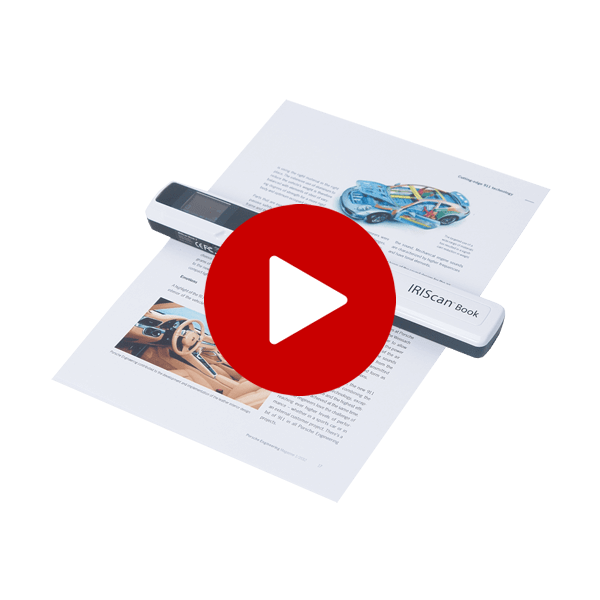
Readiris™ for iPad® is fully compatible with I.R.I.S.’ cordless mobile scanners:
IRIScan™ Anywhere 2
&
IRIScan™ Book 2
. No power supply or network connection needed: just scan, import the images into your iPad® with the Apple Camera Connection Kit™ and process them using Readiris™ for iPad®.
►
How does it work?
1. Import images from your photo library and clipboard, or import PDF files received from other apps
2. Readiris™ for iPad® automatically recognizes all text, graphics, images and tables in your documents
3. Select the content and pages you want to include in the final document.
All the processing is done on your iPad®! No WIFI or 3G connection needed (except if you want to upload your document into a Cloud storage system).
Note: Documents photographed with the iPad 2's digital camera do not produce satisfactory recognition results.
►
Features
Readiris for iPad®
Other OCR apps
on App Store*
High quality recognition and accuracy
(based on I.R.I.S.’ renowned OCR engine)
Over 120 languages recognized (including Simplified Chinese, Traditional Chinese, Japanese and Korean
)
Multipage document creation
Text zone selection and recognition at your fingertips
Automatic layout analysis
Output formats:
- Multipage PDF: image over text searchable PDF, or PDF with text and graphics
- DOCX with full layout for interactive edition on your iPad®
- DOCX with simplified layout or text-only documents
Only PDF & TXT
Single page display for content selection: a color code is used to identify the content type (text, graphics, images, tables). Each zone can be resized, merged, etc.
Import PDF files received from other apps
Import images from your photo library and clipboard
File export:
- to « Mail » or other applications
- to the Cloud (Google docs™, Dropbox™ or MobileMe™)
- All created documents are also available through the iTunes® application when connecting your iPad® to your computer
Multiple-page display for easy page reordering
Correction of perspective distortion for camera images
* As seen on the Apple App Store (for iPad®) in October 2011
►
System requirements
Requires IOS 4 or 5
Produkte
|
Download
|
Partners
|
Company
|
Support
|
Careers
|
Shop
©
2009 - I.R.I.S. s.a. - Alle Rechte vorbehalten.
Datenschutzrichtlinien
|
Allgemeine Geschäftsbedingungen
|
Site-Inhalt
Follow us on Twitter
Subscribe to our Newsletter
|
Contact us
|
All prices are VAT included
|
Shipping Costs
|
30 days money back guarantee